02 Dec
[白話文系列] A brief introduction to the classification of USB connectors
There are many types of charging and transmission devices on the market. How do you distinguish the specifications?
Today we are going to briefly introduce a few of the most commonly confused specifications~
I don’t need a complicated table to introduce our common specifications.
We will explain it in a popular way.
1.USB connector

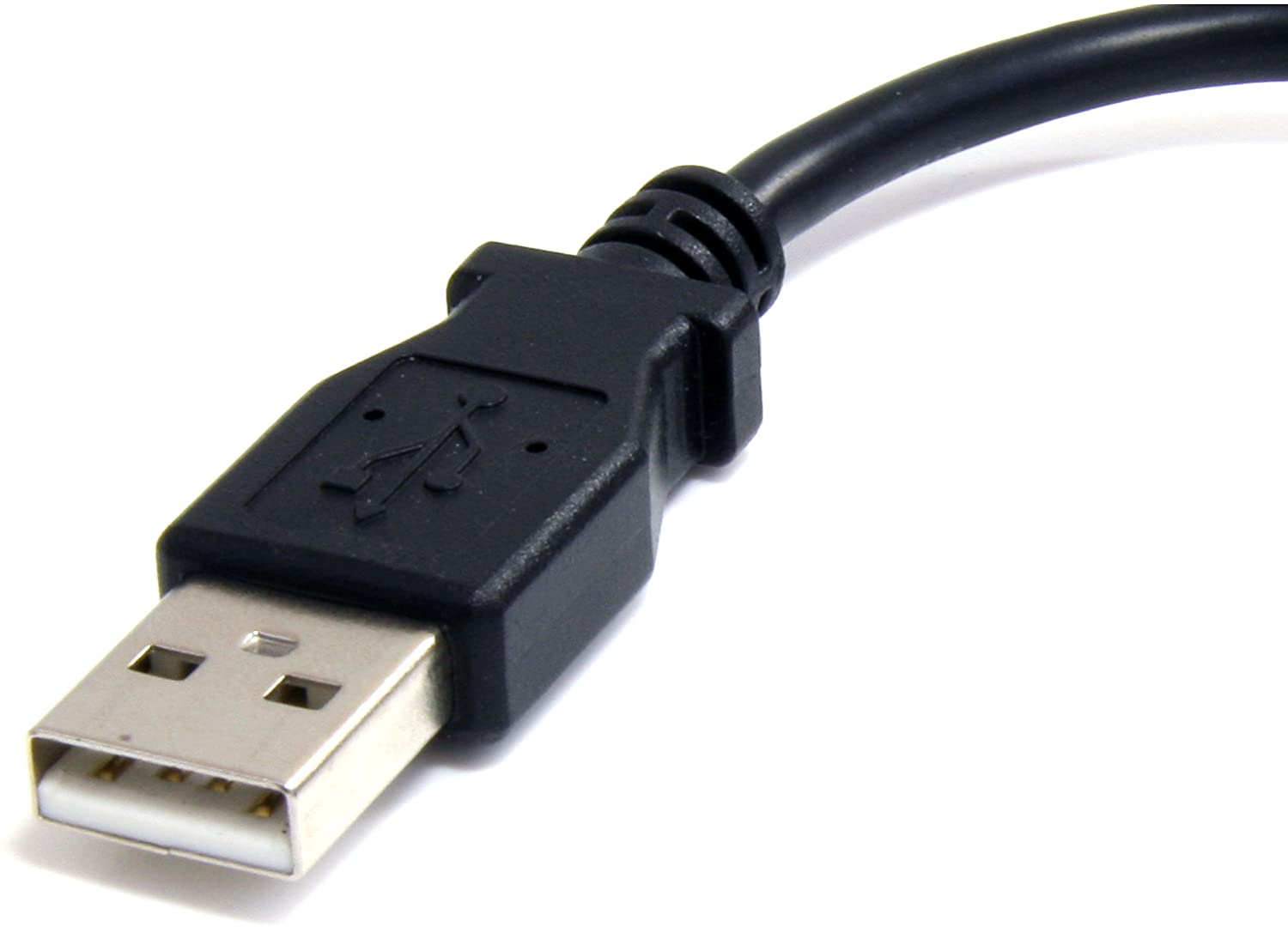
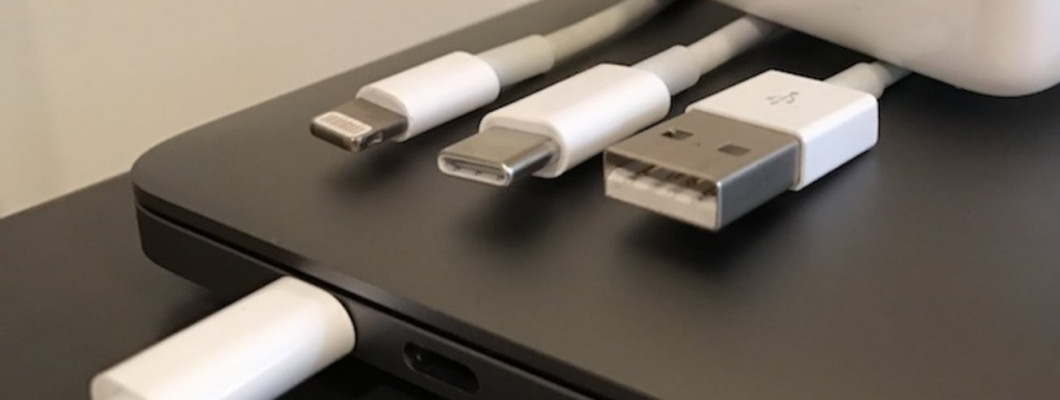
A square and flat connector like this should be the most common plug in daily life. From the transmission line to the charging line, there are also many computer accessories that use USB connectors. But in fact, USB has many different connectors. The most common is this kind of connector we call Type-A.
The most common one~
2.Type-C connector

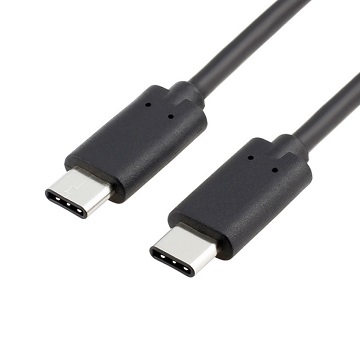
The super flat connector in the picture is commonly known as Type-C connector.
The latest and probably the most common in the future~
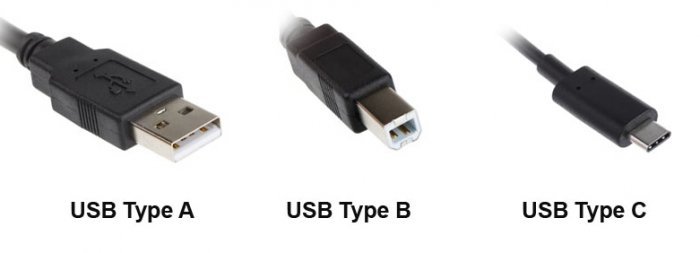
Since it is Type-C, what about Type-A and Type-B?
The answer is simple Type-A is the square flat connector we talked about above, Type-B connectors are very rare, So in simple terms, these Types are describing the shape of the joint.

Type-B is the least common~
3. What about USB2.0/3.0/4.0? What is that?
In fact, this number is the version of the USB transmission interface,The larger the version number, the faster the transmission speed~
I'll teach you how to distinguish
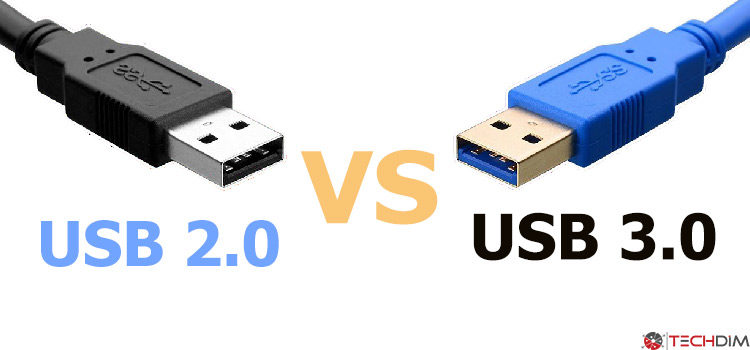
USB2.0 and 3.0 are more common using Type-A connectors (But there are still many special exceptions)
3.0 speed is relatively fast, usually with a blue appearance for easy identification.
USB3.0 is blue~

(Source:techdim.com)
We can easily distinguish between USB2.0 and 3.0
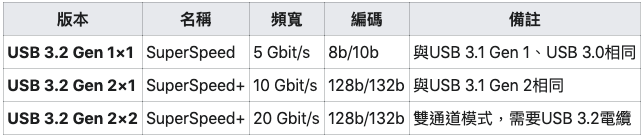
But I still have to tell everyone In fact, USB3.0 has evolved to the present The final official name has been corrected The current 3.0 is officially named as USB3.2 Gen1 As long as the previous USB is followed by a version starting with
Officially, only USB 3.2 is left~!
Classification is to use Gen1x1, Gen2x1, Gen2x2 respectively 得名稱為USB3.2 Gen1
All are unified with USB3.2~
Then everyone must be very curious about the USB3.1 format used by the laptop? Continue to answer for everyone Earlier, I heard that all forms after 3.1 use Type-c connectors Behind are unified into USB3.2 Just use different algebras to classify (The following is the final version)

What about USB4.0?
In fact, the actual maximum speed of USB4.0 is the same as Thunderbolt3. But the subtle differences are a bit too complicated. I won’t introduce more here.
USB4.0 is included in Thunderbolt3~
4.Lightning connector


(Source:randychiu)
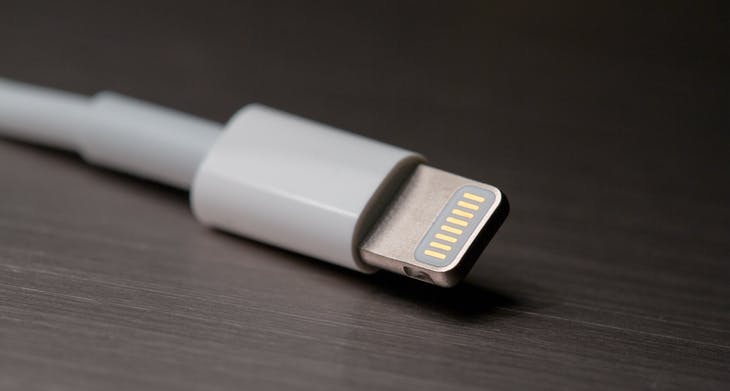
I believe everyone should be familiar with this This is the most commonly used Lightning connector for iphone
The Lightning connector is the masterpiece that Apple likes to be different from others
In the current era when the Android camp is gradually unified into Type-C connectors
Apple continues to use Lightning connectors
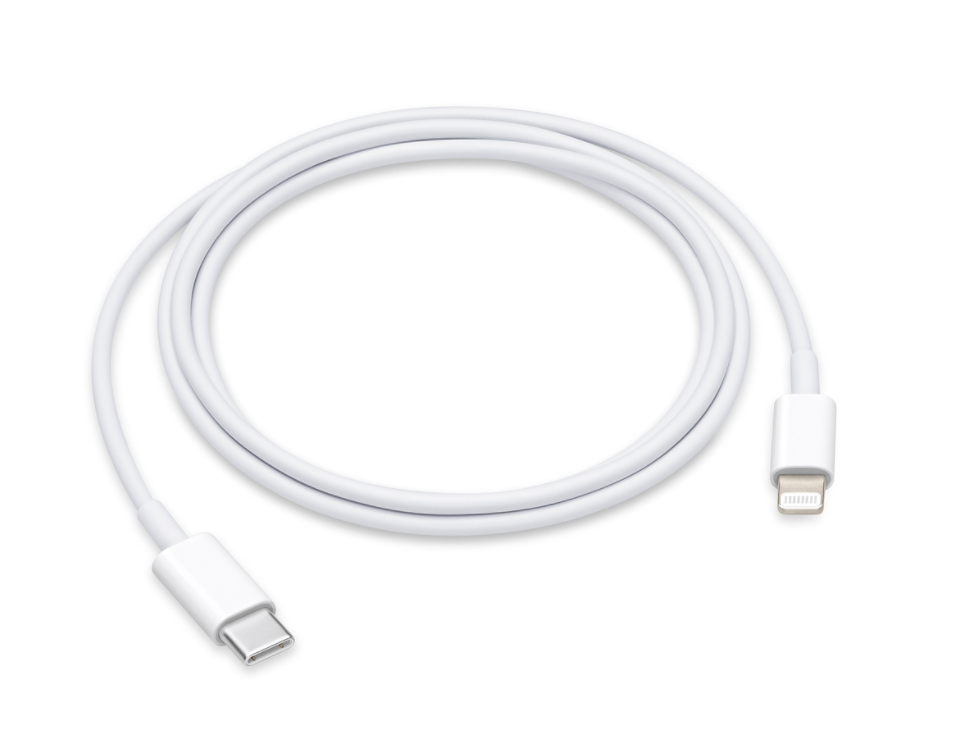
The line attached to the latest mobile phone is changed to Type-C at one end
The other end still maintains the original Lightning connector

(Source:Apple)
Maybe many people want to ask why Apple's connectors are so special?
I can only say that because this can make more money~
Apple even developed a standard called MFI (made for iPhone)
I believe everyone should be familiar with this This is the most commonly used Lightning connector for iphone
The Lightning connector is the masterpiece that Apple likes to be different from others
In the current era when the Android camp is gradually unified into Type-C connectors
Apple continues to use Lightning connectors
The line attached to the latest mobile phone is changed to Type-C at one end
The other end still maintains the original Lightning connector

(Source:Apple)
Maybe many people want to ask why Apple's connectors are so special?
I can only say that because this can make more money~
Apple even developed a standard called MFI (made for iPhone)

The chip inside is certified (in fact, it is purchased directly from Apple)
It can be safely charged with MFI-certified cable
As for the line without MFI, this accessory may not be supported from time to time
This can effectively allow consumers to buy wires with MFI Apple can make extra money~
Purchase MFI-certified line
The advantage is that the quality is relatively stableThe advantage is that the quality is relatively stable
5. So what are some special-shaped connectors?
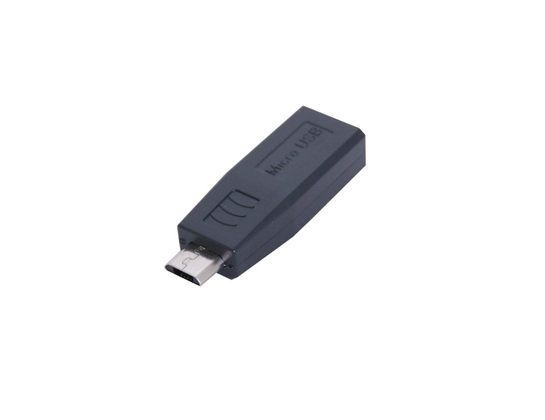
(1.)Micro USB-B


This is a connector that has been very commonly used since years ago
Early mobile phone charging and general mobile power charging
Or the charging cables of some small electrical appliances also use this type~!
Early mobile phone charging and general mobile power charging
Or the charging cables of some small electrical appliances also use this type~!
It's also super common~
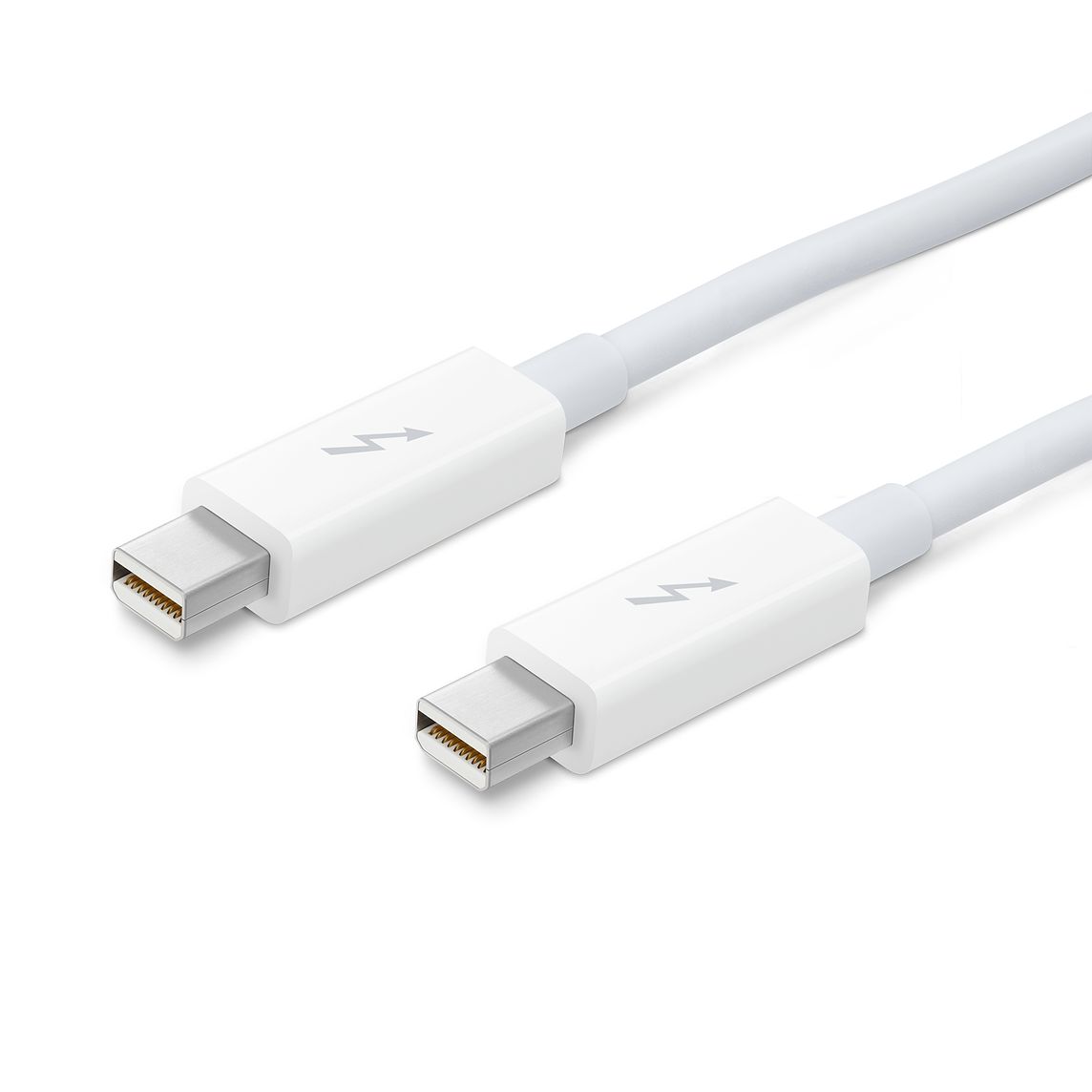
(2) Apple Thunderbolt cable


This is the relatively early MacBook specifications
This is a special cable that includes Thunderbolt2 and Mini Display
In addition to the function of fast transmission, Mini DisplayPort
Supports up to 4096×2160 resolution monitor
It was a special connector used by Apple for the highest output performance at the time
The old MacBook is in use~
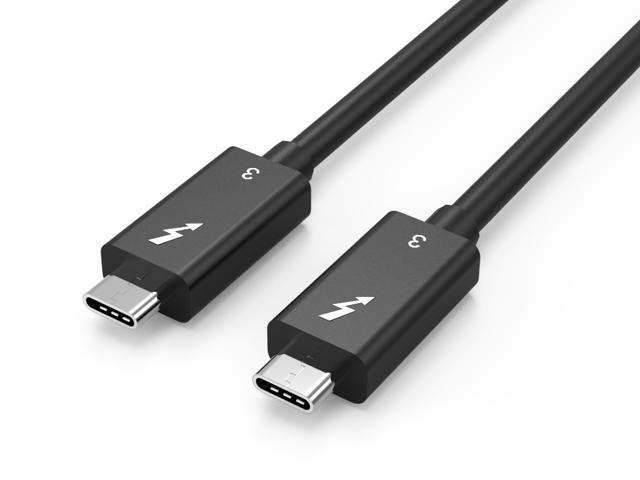
(3) Thunderbolt 3

Thunderbolt3 is the current transmission specification used by all new MacBooks.
The lightning symbol is a special identification symbol for Thunderbolt
In addition to charging, there is a charging power of up to 100W
The transmission speed is also unprecedentedly fast, with a transmission bandwidth of up to 40Gbps
In addition to the fast transmission function and charging function
Two 4K resolution displays or one 5K resolution display can also be connected
Support HDMI2.0 (4K 60Hz) and DisplayPort1.2 (5K 60Hz)
(Source:techeblog.com)